

GitHub Repository Cards
You can add dynamic cards that link to GitHub repositories, on page load, the repository information is pulled from the GitHub API.
Create a GitHub repository card with the code ::github{repo="<owner>/<repo>"}.
::github{repo="saicaca/fuwari"}Admonitions
Following types of admonitions are supported: note tip important warning caution
NOTEHighlights information that users should take into account, even when skimming.
TIPOptional information to help a user be more successful.
IMPORTANTCrucial information necessary for users to succeed.
WARNINGCritical content demanding immediate user attention due to potential risks.
CAUTIONNegative potential consequences of an action.
Basic Syntax
:::noteHighlights information that users should take into account, even when skimming.:::
:::tipOptional information to help a user be more successful.:::Custom Titles
The title of the admonition can be customized.
MY CUSTOM TITLEThis is a note with a custom title.
:::note[MY CUSTOM TITLE]This is a note with a custom title.:::GitHub Syntax
TIPThe GitHub syntax is also supported.
> [!NOTE]> The GitHub syntax is also supported.
> [!TIP]> The GitHub syntax is also supported.Spoiler
You can add spoilers to your text. The text also supports Markdown syntax.
The content
The content :spoiler[is hidden **ayyy**]!Music Player
Embed an inline music player directly in your Markdown content. The player supports play/pause, progress bar, and time display.
Basic Syntax
::music{url="https://music.163.com/song/media/outer/url?id=2692441576.mp3" title="Lumière" artist="Lorien Testard"}All Attributes
| Attribute | Required | Description |
|---|---|---|
url | Yes | Audio file URL (supports .mp3, .ogg, .wav, etc.) |
title | No | Song title, defaults to “Unknown” |
artist | No | Artist name |
cover | No | Album cover image URL |
autoplay | No | Auto-play on page load, defaults to false |
loop | No | Loop playback, defaults to false |
Example with Cover
::music{url="https://music.163.com/song/media/outer/url?id=186016.mp3" title="晴天" artist="周杰伦" cover="https://p2.music.126.net/..." autoplay=false loop=true}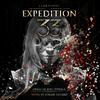
Netease Cloud Music
For Netease Cloud Music songs, use the external URL pattern:
::music{url="https://music.163.com/song/media/outer/url?id=<song_id>.mp3" title="Song Name" artist="Artist"}Replace <song_id> with the actual song ID from the Netease Cloud Music URL.